Family safety
Find the official family locator and coordination landing pages without digging through a generic company site.
Official App Collection
ICSR Tech LLC now presents every product as a download-first experience: search intent, trust signals, product choice, language coverage, and direct App Store calls to action all live on the same page.
Search paths users actually want
Find the official family locator and coordination landing pages without digging through a generic company site.
Match locator and tracker intent with the right product page and the right download button.
Capture spin wheel and random picker searches with a focused page that leads straight to install.
3
Official App Store product paths
16
Language landing routes ready for search traffic
1
Download hub that keeps product choice and install links visible
100%
Official pages tied to support, privacy, and policy resources
Intent Hubs
Instead of one broad company homepage, the site now offers focused paths for downloads, family safety workflows, and decision-helper traffic.
Download Hub
One page for users who already want the official App Store links and do not need extra navigation first.
Open the download hubFamily Safety
Serve family locator, trusted tracker, and location sharing searches with a clearer comparison page.
Open family safety pagesDecision Helper
Send decision-maker traffic to a focused page built around the exact problem users are trying to solve.
Open the decision pagePopular Searches
These pages target long-tail searches that are closer to download intent than a brand query.
Search Intent
Official ICSR Tech LLC page for family locator app searches on iPhone, with direct routes to Find My Friends and Together.
Search Intent
Official ICSR Tech LLC page for users searching for a location sharing app on iPhone, with a direct route to Find My Friends · Family Phone.
Search Intent
Compare official family location sharing and family locator app pages from ICSR Tech LLC and choose the right App Store download.
Search Intent
Official ICSR Tech LLC landing page for users searching for a family phone tracker or family locator app on iPhone.
Search Intent
Official route for users searching for a locator and tracker app on iPhone, with direct links to Together - Locator & Tracker.
Search Intent
Official ICSR Tech LLC page for spin wheel, random picker, and decision maker app searches on iPhone.
Search Intent
Official ICSR Tech LLC landing page for users searching for a wheel spinner app on iPhone, with direct links to Decisio - Spin the Wheel.
Search Intent
Official ICSR Tech LLC page for users searching for a random decision maker app on iPhone, with direct routes to Decisio - Spin the Wheel.
Official Products
Every product card combines search intent, product fit, and direct App Store access so visitors do not have to guess which page to trust.
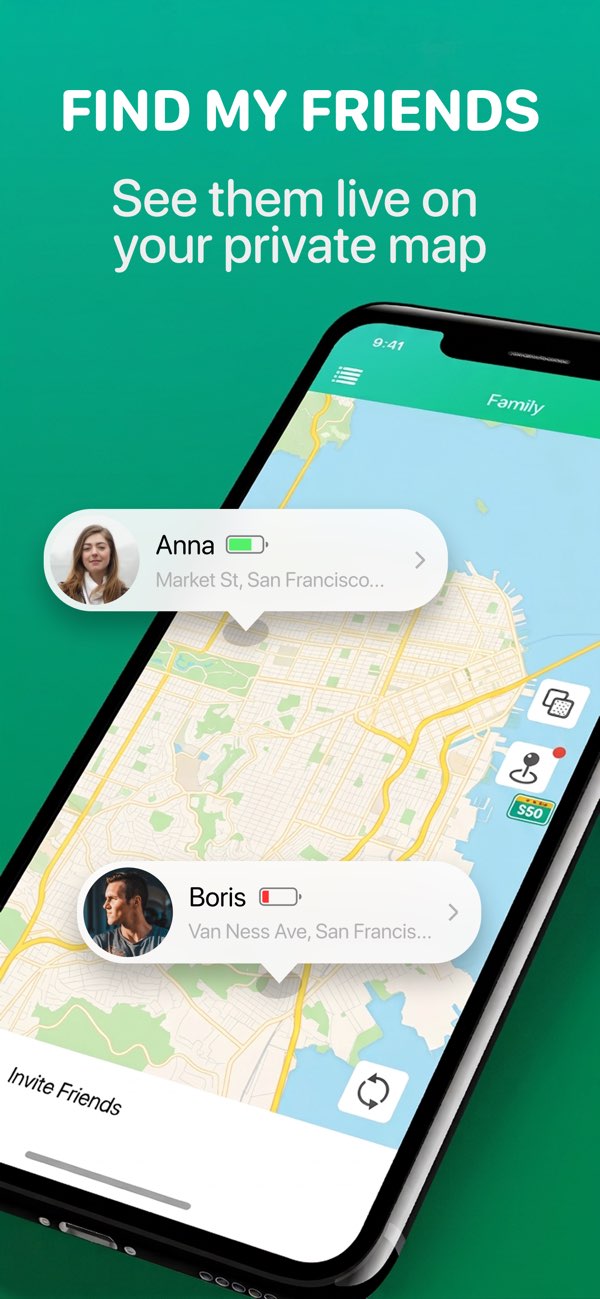
Family Safety
An iPhone app focused on family location sharing, routine check-ins, and consent-based daily coordination.

Location Coordination
A locator and tracker utility for trusted contact coordination on iPhone.

Decision Helper
A spin wheel and random picker app for fast decisions on iPhone.
Trust Signals
Users often need confidence that the page is official, current, and connected to support. These blocks keep those answers near the CTA.
Every featured page keeps the download action visible and tied directly to the published App Store listing.
Privacy, terms, and support pages stay one click away instead of being buried in footer-only navigation.
Home, app pages, language pages, and themed hubs now reinforce one another rather than standing alone as thin static pages.
Dedicated language hubs and product-language pages help users land closer to the right copy and the right download action.
Conversion Flow
The site now uses a simple, repeatable conversion path across homepage, themed hubs, app pages, and localized landing pages.
Route visitors to downloads, family safety pages, or decision-maker pages based on the search they actually used.
Show product fit, language coverage, support contact, and policy links before asking for the install click.
Place the download button in the hero, in product cards, and again in a lower-page install strip to reduce drop-off.
Language Coverage
Each language hub links to the right localized product pages and keeps the official download button close to the content.
FAQ
Short answers remove uncertainty around official status, product choice, and App Store routing.
Send them to the official download hub, which centralizes every App Store path and product page.
The family safety hub and the two related product pages are structured to serve that intent directly.
It includes 16 language hubs plus product-language pages so visitors can land on a page that matches their language and still convert.
Email [email protected] for product, billing, or policy questions.
Start Here
Open the official download hub to compare the three apps and move visitors directly into the install flow.